AlgART
AlgART TIFF Information Viewer
Description
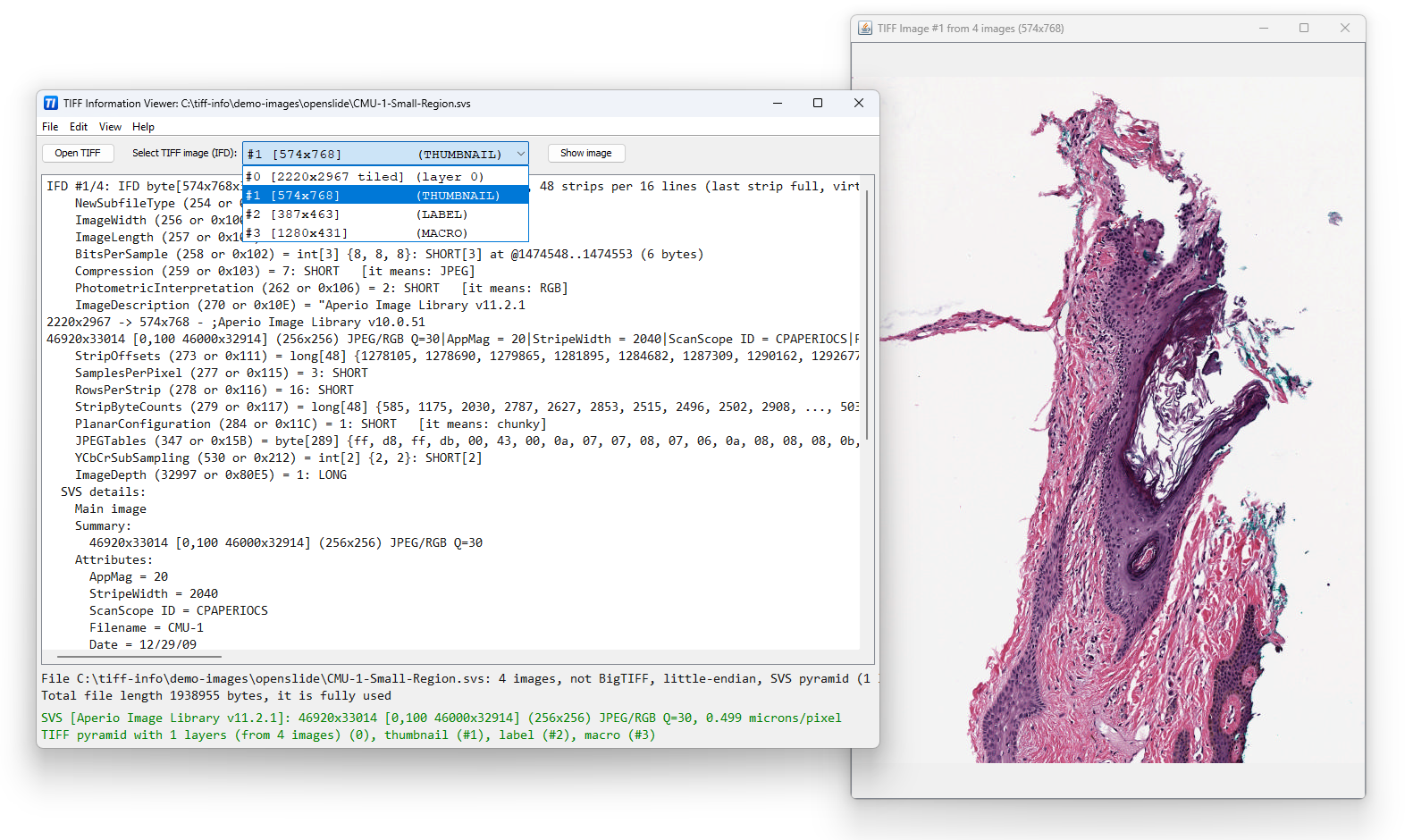
AlgART TIFF Information Viewer is a free portable cross-platform utility (Windows, Linux, macOS, etc.) for inspecting and decoding the structure of TIFF files. It supports most TIFF features including Big-TIFF, any bit depths, and most compressions including JPEG-2000. It displays both the image and detailed TIFF tag structure, allowing you to explore and understand TIFF files in depth. Additionally, it recognizes and shows metadata for popular multi-scale pyramid formats such as Aperio SVS.
This software is based on Java and requires the Java Runtime Environment, version 21 or higher, available at the Oracle website.
This software is part of AlgART-TIFF Java library.
Download
- tiff-info-1.5.1.zip — latest stable version 1.5.1 (2026-01-01)
Downloaded 401 times
External links
How to use
Please download and unpack this ZIP file into any suitable place.
AlgART TIFF Information Viewer can be launched:
- by double-clicking
TiffInfoViewer.jar - or using
the script files
TiffInfoViewer.cmd(Windows) orTiffInfoViewer.sh(Unix/Linux).
Also this archive contains the following command-line utilities:
TiffInfo.cmd/TiffInfo.sh:
command-line version ofTiffInfoViewer;TiffCopy.cmd/TiffCopy.sh:
a utility for copying/repacking TIFF files, in particular, for conversion to/from other image formats (.bmp,.png,.jpegetc.);MakeSvs.cmd/MakeSvs.sh:
a utility for constructing Aperio SVS files (TIFF image pyramid with multiple resolution levels) from a regular image file.
Note: you can build this ZIP file via Maven package command after downloading the source code from AlgART-TIFF GitHub repository.
Demo
The ZIP archive contains a subfolder demo-images with a small set of demo TIFF files.
You can get more demo images at the AlgART-TIFF GitHub repository
(in the src/test/resources/demo/images folder of the Git project).
You may also download demo files with TIFF-based multiscale pyramids at OpenSlide website.
Troubleshooting
If the program does not start, the most common reason is that Java is either not installed or an incompatible Java version is installed on your system. AlgART TIFF Information Viewer requires Java 21 or newer. Please check your Java installation as follows:
- Windows: press
Win + R, typecmd, and press Enter; - Linux or macOS: open the
Terminalwindow.
In the opened window, type the following command and press Enter:
java -version
If Java is installed correctly, it should start and display its version number. The displayed version must be 21 or higher.
If Java does not start or the displayed version is lower than 21, please download and install a newer Java version from the Oracle website and make sure it is used by default on your system.
After installing or updating Java, try double-clicking TiffInfoViewer.jar, or launching
TiffInfoViewer.cmd / TiffInfoViewer.sh again.
PAD
If necessary, here is a link to PAD-file (Portable Application Description) containing full details about the TIFF Information Viewer.